
In this example we are reclassifying the US Source Interest Income from the current activity to a passive activity.
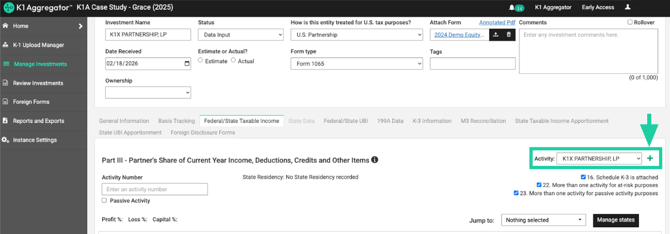
- Create a passive activity by navigating to the green plus sign next to 'Activity' on the right hand side of your investment.
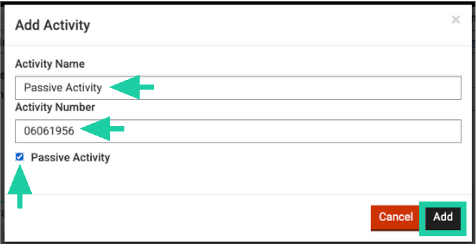
- Type your Activity Name, Activity Number, and check 'Passive Activity' box.
- Click 'Add'
- Navigate back to the activity with the line item in which you would like to move to passive using the 'Activity' dropdown box.
- Find the line item which you would like to reclassify as passive, click the green Reclassification button with arrows and use the 'Send to Activity' dropdown box to find your new passive activity.
- Navigate to your passive activity using the 'Activity' dropdown box and check for saved changes.